Loading...
New
See what manual alert triage really costs your security team.
New
See what manual alert triage really costs your security team.

See what manual alert triage really costs your security team.
See what manual alert triage really costs your security team.
Loading...

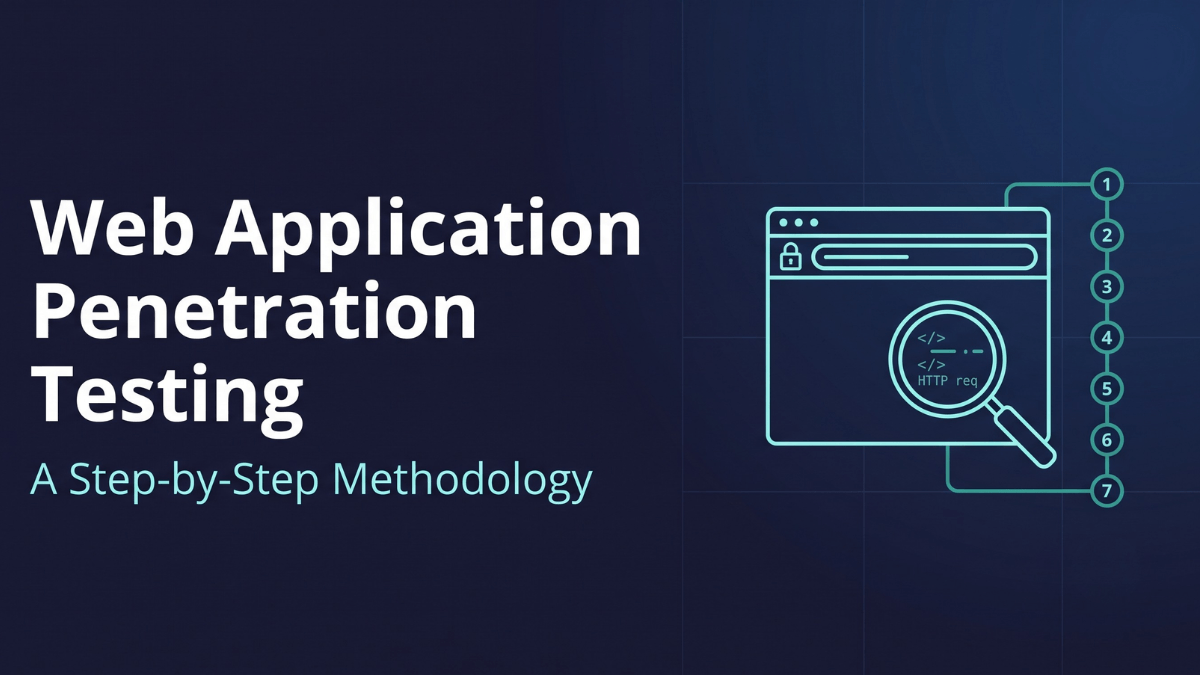
Web application penetration testing runs in seven steps: scope and rules of engagement, reconnaissance, application mapping, an automated baseline scan, manual OWASP-aligned testing, business-logic exploitation with safe proof of impact, and reporting with a fix-verification retest. The manual phases (access control, business logic, and chaining) find what scanners cannot, because those bugs live in how the application reasons, not in a signature.
Most web application penetration testing guides stop at the definition. They tell you it is a simulated attack against a web application, list five phases, and hand you a tool list. None of that survives contact with a real target. The interesting bugs live in the authorization logic and the multi-step workflows, not in a version banner.
This is the methodology a working tester actually follows: the order of operations, what you look for in each phase, the tools that carry the weight, and the traps that waste a day if you miss them. It maps to the OWASP Web Security Testing Guide, PTES, and NIST SP 800-115, but it is written to be executed, not filed. At the end, the part almost every other guide skips: what changes when an autonomous agent runs these same steps continuously instead of once a year.
Web application penetration testing probes a live application the way an attacker would, across every endpoint, role, and workflow, both authenticated and unauthenticated, to find and prove the vulnerabilities that put data or accounts at risk. It is deeper than a vulnerability scan, which matches known signatures and stops. A pentest reasons about the specific application: its business rules, its trust boundaries, and the ways one weakness chains into another.
The unit of work is smaller than most people expect. You are not testing "the app." You are testing every endpoint × HTTP method × vulnerability class × user role. A single /api/v2/orders/{id} endpoint is really a dozen tests: GET as an admin, GET as a low-privilege user, GET with someone else's id, PATCH with fields you were never given, and so on. Keep that resolution in mind and the methodology below stops feeling abstract. If you want the broader category first, start with the complete guide to penetration testing, then come back here for the web-specific workflow.
The methodology runs in seven steps, in order: (1) scope and rules of engagement, (2) reconnaissance, (3) application mapping, (4) an automated baseline scan, (5) manual OWASP-aligned testing, (6) business-logic exploitation with safe proof of impact, and (7) reporting with a fix-verification retest. Steps one through four build the map and clear the obvious. Steps five through seven find the access-control, business-logic, and chained flaws that scanners structurally miss. Each step below is what a working tester does, in the order they do it.
Testing starts before you touch the target. Get the scope in writing: the exact domains, subdomains, and API hosts in play, and everything explicitly out of bounds. Confirm whether you are testing production or a staging mirror, because that decision changes how aggressive you can be with injection and denial-of-service-adjacent payloads.
Nail down three things people forget and pay for later:
Write down what "critical" means for this specific application. A price-manipulation bug on an e-commerce checkout is critical; the same class of bug on an internal wiki may be a low. Context set here decides severity later.
Reconnaissance finds everything the organization actually exposes, which is almost always more than the scope document lists. The goal is a complete inventory before you start probing.
Run subdomain enumeration with tools like amass and subfinder, and cross-check against certificate transparency logs. Forgotten staging and admin subdomains surface there constantly. Fingerprint the stack (server, framework, CMS, WAF, and CDN) with Wappalyzer and whatweb so you know what you are up against. Then do content discovery: ffuf or gobuster against the directory and file structure to surface admin panels, backup files, old API versions, and debug endpoints that no one links to anymore.
Do not skip the JavaScript. Modern single-page applications ship their entire API surface in bundled JS. Pull the bundles, search them for endpoint paths, hardcoded keys, and internal hostnames, and you often get a near-complete API map before you have sent a single malicious request. For API-first targets, hunt for a Swagger or OpenAPI spec and a GraphQL introspection endpoint. Both hand you the schema directly.
With the surface inventoried, drive the application through an intercepting proxy (Burp Suite or Caido) and catalog it. Browse every feature as each role while the proxy records every request. The output you want is a map: every endpoint, every method it accepts, every parameter, and which role is supposed to reach it.
Pay special attention to state-changing operations (anything that writes, transfers, deletes, or grants) and to the trust boundaries between roles. Note where the application makes an authorization decision and where it merely assumes one. Mark the multi-step workflows (checkout, onboarding, password reset, fund transfer), because those are where business-logic flaws live. This map is the test plan for everything that follows; a shallow map produces a shallow test.
Only now do you point automated tooling at the mapped surface. An authenticated Burp Suite scan, OWASP ZAP, or a nuclei template run is dynamic application security testing (DAST) against the running app, distinct from source-level static analysis (SAST). It catches the known and the obvious: outdated components with public CVEs, missing security headers, verbose error messages, and reflected inputs worth a closer look. Feed it the authenticated session so it tests behind the login, not just the marketing pages.
Triage the output hard. Automated scanners generate false positives, and a finding is not a finding until you have reproduced it by hand. The baseline exists to clear the low-hanging fruit and free your attention for the work tools cannot do. Scanners crawl as a single user and match patterns; they do not reason about whether a low-privilege user should be able to reach an admin function. That gap is the whole point of the next three steps. For a fuller breakdown of where each class of tool fits, the penetration testing tools guide maps them to the attack lifecycle.
The engagement lives or dies here. Work class by class against the OWASP Top 10, testing every relevant endpoint and role combination from your map. The categories that consistently produce real findings:
id while authenticated as a low-privilege account. Test Broken Function Level Authorization (BFLA) by calling admin-only endpoints as a regular user. Test forced browsing and vertical and horizontal privilege escalation. This is where the second account per role earns its place.sqlmap, then verify and extend by hand), NoSQL injection, command injection, and template injection. Test every parameter that reaches a query, a shell, or a rendering engine — not just the obvious search box..git directories and default credentials that recon flagged.Confirm every candidate manually and capture the request and response that proves it. A vulnerability you cannot reproduce on demand is a hypothesis, not a finding.
Everything to this point could, in theory, be partially automated. Business logic cannot. The flaw is not a malformed input; it is a valid request the application should have refused. This is what separates a real pentest from a scan with a report stapled to it.
Walk the multi-step workflows you mapped and break their assumptions. Can you skip a step in the checkout and get the goods without paying? Replay a one-time coupon? Change a price or quantity to a negative number? Race two simultaneous requests to withdraw the same balance twice (Burp's Turbo Intruder is built for this)? Add fields the API never offered and have it accept them (mass assignment)? Escalate your own role by editing a value the server trusted the client to set?
Then chain. A self-XSS is nothing alone. Combine it with a CSRF that delivers it and a stored sink an admin visits, and it becomes account takeover. A verbose error from Step 5 leaks a path that makes an SSRF reachable. The severity of a web application penetration test lives in these chains, and finding them takes an attacker's judgment about how weaknesses combine. That judgment is the part no tool ships with.
Proving impact is not the same as breaking production. For each confirmed vulnerability, demonstrate the real consequence with the minimum action that proves it. Extract two records to show the query is injectable; do not dump the database. Show you can reach an admin function; do not delete anyone's data. Capture the exact request, the response, and a one-line note on why it matters to this business. On production targets, that discipline is the difference between a finding and an incident.
A pentest that ends at a PDF has done half the job. Each finding needs a clear title, a severity backed by a CVSS vector plus the business-impact context you defined in Step 1, deterministic reproduction steps a developer can follow, the root cause, and specific remediation guidance. Write two views: a technical report for the engineers who will fix it and an executive summary for the people who will fund the fix.
The engagement is not over when the report ships. The Window of Exposure (the gap between when a vulnerability enters the application and when the fix is implemented and verified) stays open until someone confirms the patch actually worked. That confirmation is a retest against the specific finding, not a fresh full engagement. Discovery is only half the story. An application with a fixed-but-never-retested critical is still exposed, and the retest is what closes it.
Every step above assumes a human running a point-in-time engagement, which is why most applications get tested once or twice a year while attackers probe them daily. The industry's vulnerability-to-exploit window has collapsed to a matter of days: Mandiant's time-to-exploit metric fell from 32 days across 2021 and 2022 to just 5 days in 2023. A bug introduced the week after your annual test can be weaponized long before the next one. An AI penetration testing approach changes the cadence and, in a few places, the depth.
Simbian's AI Pentest Agent runs the same methodology (recon, mapping, OWASP-aligned testing, exploitation, and validation) as an autonomous workflow that reasons about each finding instead of matching signatures. A few differences matter for practitioners:
The pentester stays in the loop; what changes is where the hours go. The agent handles recon, the OWASP baseline, and retesting, while the human moves up to the judgment work: the novel business-logic abuse, the audit-sensitive engagement, the exploit chain no rule set anticipates. That reshapes the role rather than eliminating it, into an AI Pentest Supervisor overseeing the agent's runs, an AI Pentest Skill Builder encoding hard-won techniques, and an Offensive Security Lead owning the strategy. It also complements the delivery model rather than competing with it: modern pentest-as-a-service engagements increasingly run an AI agent for the repeatable phases and put a human specialist on the hard cases and the sign-off. For a fuller side-by-side, see AI versus manual penetration testing.
Q: What are the steps of a web application penetration test? A web application penetration test follows seven core steps: scoping and rules of engagement, reconnaissance, application mapping, an automated baseline scan, manual OWASP-aligned testing, business-logic and chained exploitation, and reporting with a fix-verification retest. The manual access-control, business-logic, and chaining phases find the vulnerabilities that automated scanners structurally miss.
Q: How long does a web application penetration test take? A traditional human-led web application penetration test typically takes one to three weeks depending on the size of the attack surface, plus scheduling lead time. Autonomous, AI-driven pentesting compresses the active testing to hours and can run continuously against every release, closing the gap between annual engagements.
Q: What is the difference between a web application penetration test and a vulnerability scan? A vulnerability scan matches known signatures and reports potential issues; it runs as one user and does not confirm exploitability. A penetration test reasons about the specific application (its roles, workflows, and business rules), manually confirms each vulnerability, and chains weaknesses to prove real impact. Scanning is a component of Step 4; it is not the test.
Q: What is the difference between black box, white box, and gray box web app pentesting? Black-box testing works from the outside with no internal knowledge, modeling an external attacker. White-box testing adds source-code access for more precise, deeper coverage. Gray-box testing sits in between, typically with credentials and partial documentation. Most web app engagements are gray-box, because authenticated testing is where the high-value access-control and business-logic bugs live.
Q: How often should you run a web application penetration test? Compliance frameworks generally require at least annual testing plus a retest after major changes, but annual cadence leaves months of exposure as code ships. Best practice is to test on every significant release and after any change to authentication, authorization, or payment logic — which is practical only with continuous, automated pentesting.
Q: How much does a web application penetration test cost? A traditional human-led web application penetration test typically runs from a few thousand dollars for a small application to tens of thousands for a large, multi-role one, priced by scope and tester days. Autonomous, AI-driven pentesting changes the economics: because a retest is scoped to a single finding and runs in minutes, the marginal cost of testing every release is a fraction of a full re-engagement.
Q: What tools are used for web application penetration testing? The core toolkit is an intercepting proxy (Burp Suite or Caido), recon and content-discovery tools (amass, subfinder, ffuf, gobuster), scanners for the baseline (OWASP ZAP, nuclei), and targeted exploitation tools (sqlmap for injection, Burp Turbo Intruder for race conditions). Tools carry the recon and baseline; the high-severity access-control and business-logic findings come from manual testing, not from any tool.
Q: How does web application penetration testing relate to the OWASP Top 10? The OWASP Top 10 defines the vulnerability classes a web app pentest tests against, such as broken access control, injection, and cryptographic failures, while the OWASP Web Security Testing Guide defines how to test each one. A pentest works class by class through the Top 10 against every relevant endpoint and role, then goes beyond it into the business-logic flaws the Top 10 does not enumerate.
Q: What deliverables do you get from a web application penetration test? A web application penetration test delivers a report with each finding titled, severity-rated with a CVSS vector and business-impact context, and documented with deterministic reproduction steps, root cause, and specific remediation guidance. It includes a technical report for engineers and an executive summary for decision-makers, followed by a retest that verifies each fix actually closed the vulnerability.
Q: Can automated tools replace a manual web application penetration test? No. Automated tools handle recon, the known-CVE baseline, and repeatable regression checks well, but the highest-severity findings (broken access control, business-logic abuse, and chained exploits) require reasoning about the application, not signature matching. AI pentest agents extend how much of the reasoning can be automated, but a human still owns the novel and audit-sensitive work.
A web application penetration test is only as good as its manual phases and only as valuable as its retest. Run the full methodology, prove impact safely, and close the Window of Exposure on every finding instead of every audit. If you want to see how an autonomous agent runs these steps continuously, with a reasoning trace behind every finding, the AI Pentest Agent Solution Brief walks through it, or you can book a demo and point it at one of your own applications.